Table of Contents
XML API Integration #
Use the XML API to integrate SMS functionality into your systems using structured XML requests.
Step 1: Access the XML API #
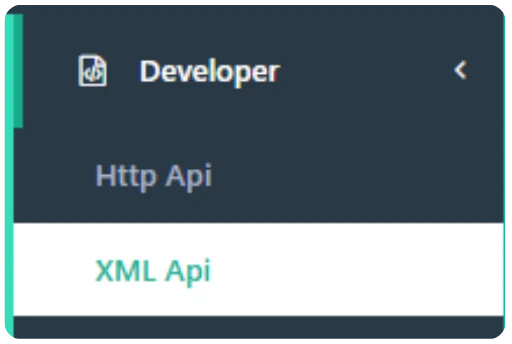
- Navigate to “Developer” → “XML Api” in the left-hand menu.
Step 2: Understand the XML Format #
Use the following structure when composing your XML request:
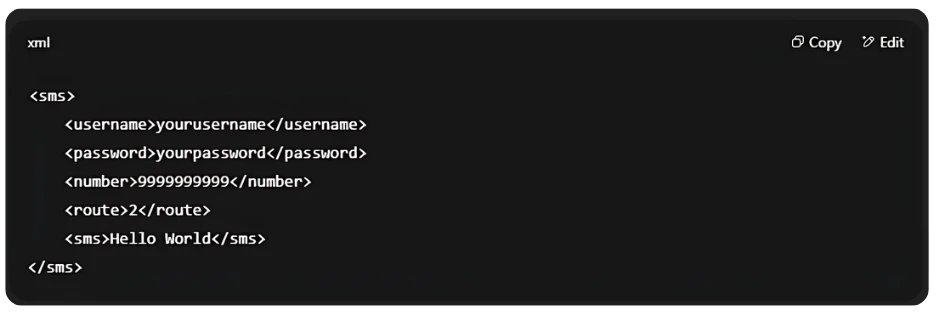
- username – Your SMS Local login username
- password – Your SMS Local login password
- number – Destination number(s)
- route – SMS route (e.g., 2 for transactional)
- sms – Message content
Step 3: Implement and Send Request #
- Use the above XML structure in your POST request.
- Send the request to the XML API endpoint provided in the developer section.
- Ensure your application correctly handles response codes and any error messages.


