Table of Contents
HTTP API Integration #
Integrate SMS functionality into your applications using the HTTP API.
Step 1: Access the API Documentation #
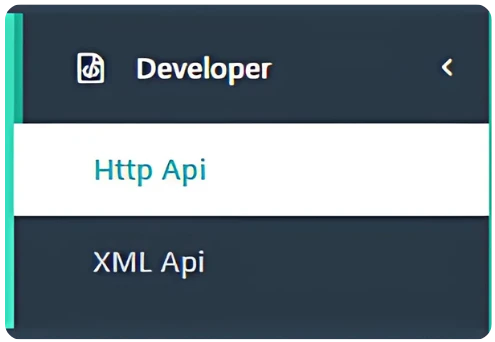
- Go to “Developer” → “Http Api” from the navigation menu.
- Review the available API documentation and endpoints.
Step 2: Obtain API Credentials #
You will need the following credentials to use the API:
- Username – Your SMS Local login username
- Password – Your SMS Local login password
- API URL – Copy the provided endpoint (e.g.,http://yourdomain.com/api/smsapi)
Step 3: Understand API Parameters #
When making an API call, provide these key parameters:
- username – Your account username
- password – Your account password
- number – Recipient mobile numbers, separated by commas
- route – Route number (e.g., 1 for promotional, 2 for transactional, etc.)
- sms – The message content (must be URL-encoded)
Step 4: Sample API Call (Plain Text Example) #
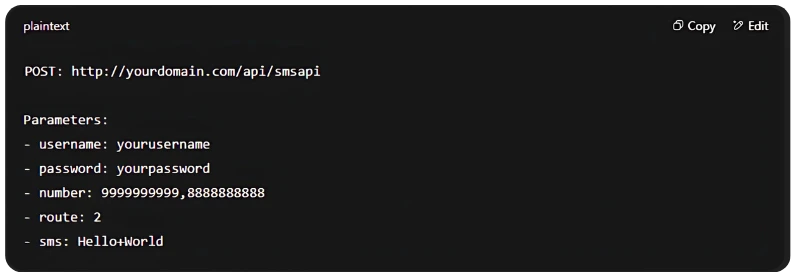
Make sure to URL-encode the sms content to avoid errors with special characters.


