Table of Contents
Creating a New Account #
Follow these steps to create your SMSLocal account:
Step 1: Go to the Registration Page #
- Visit the SMS Local website.
- Click on the “Register“ button.
Step 2: Enter Your Details #
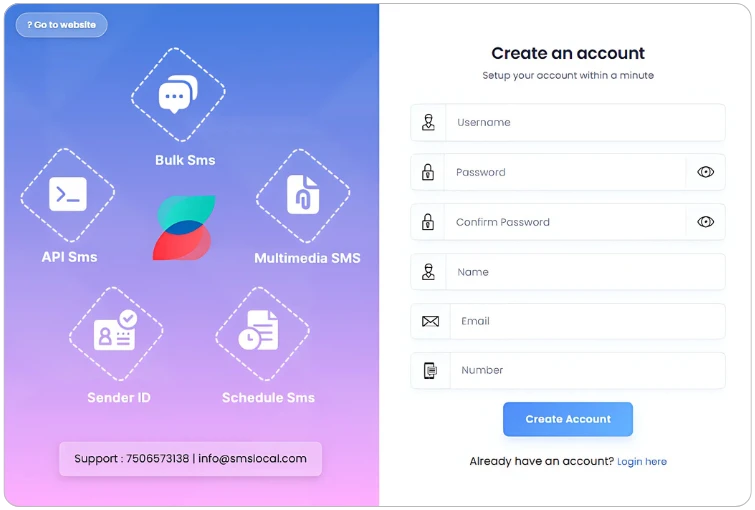
Fill out the registration form with the following information:
- Username – Choose a unique username (up to 15 characters).
- Password – Create a strong, secure password.
- Confirm Password – Re-enter the password to confirm.
- Full Name – Provide your complete name.
- Email Address – Enter a valid email address.
- Mobile Number – Input a 10-digit mobile number.
Step 3: Submit Your Registration #
- Click the “Submit” button to complete your sign-up.
- You will receive a confirmation email at your registered email address.
- An SMS notification will also be sent to your registered mobile number.
Step 4: Activate Your Account #
- Check your email for activation details.
- Your account will be activated automatically.
- You’ll receive a few complimentary credits on your new account.


