Table of Contents
Registering a Message Template #
To send messages through SMS Local, you must first register your message templates.
Follow these steps:
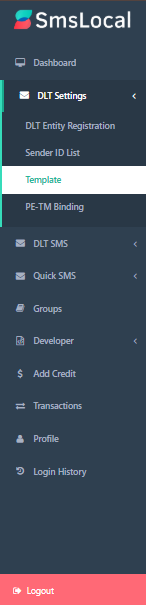
Step 1: Open the Template Management Page #
- Go to “DLT Settings” → “Template“.
Step 2: Enter Template Details #
- Template Name – Assign a clear, descriptive name for easy reference.
- Sender ID – Choose from your approved Sender IDs.
- Template ID – Enter your DLT-approved Template ID.
- Template Content – Input the exact message content, including any variables (placeholders).
- Template Type – Select the appropriate type: Promotional, Transactional, or Service Implicit.

Step 3: Submit for Approval #
- Review your template details to ensure accuracy.
- Click “Submit” to send it for admin approval.

- You can track the approval status on the Template list page.


