Table of Contents
Registering a Sender ID #
To send messages using your brand name, register a Sender ID by following these steps:
Step 1: Access the Sender ID Management Page #
- Navigate to “DLT Settings” → “Sender ID List”.
- Add New Sender ID

Step 2: Fill in Sender ID Details #
-
-
Enter the Sender ID (required) — the name/ID that will appear as sender.
-
Fill Entity, Header ID, and PE ID (all required).
-
Select the Operator from the dropdown.
-
Click Submit to save the Sender ID or Reset to clear the form.
-

Step 3: Submit for Approval #
- Carefully review all entered information.
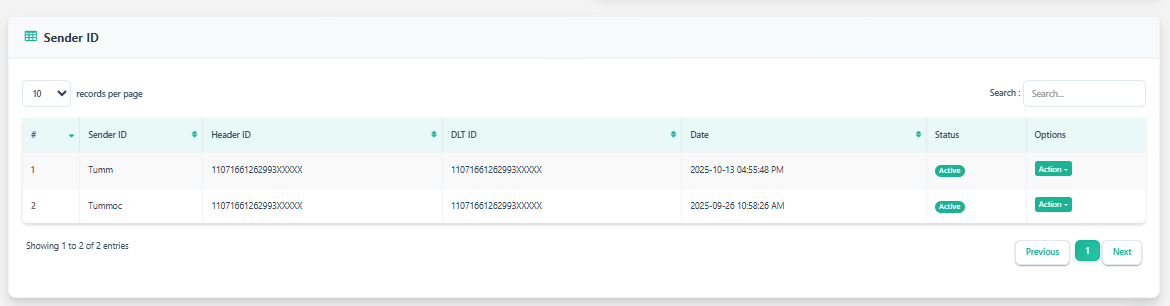
- You can track the approval status in the Sender ID list.


