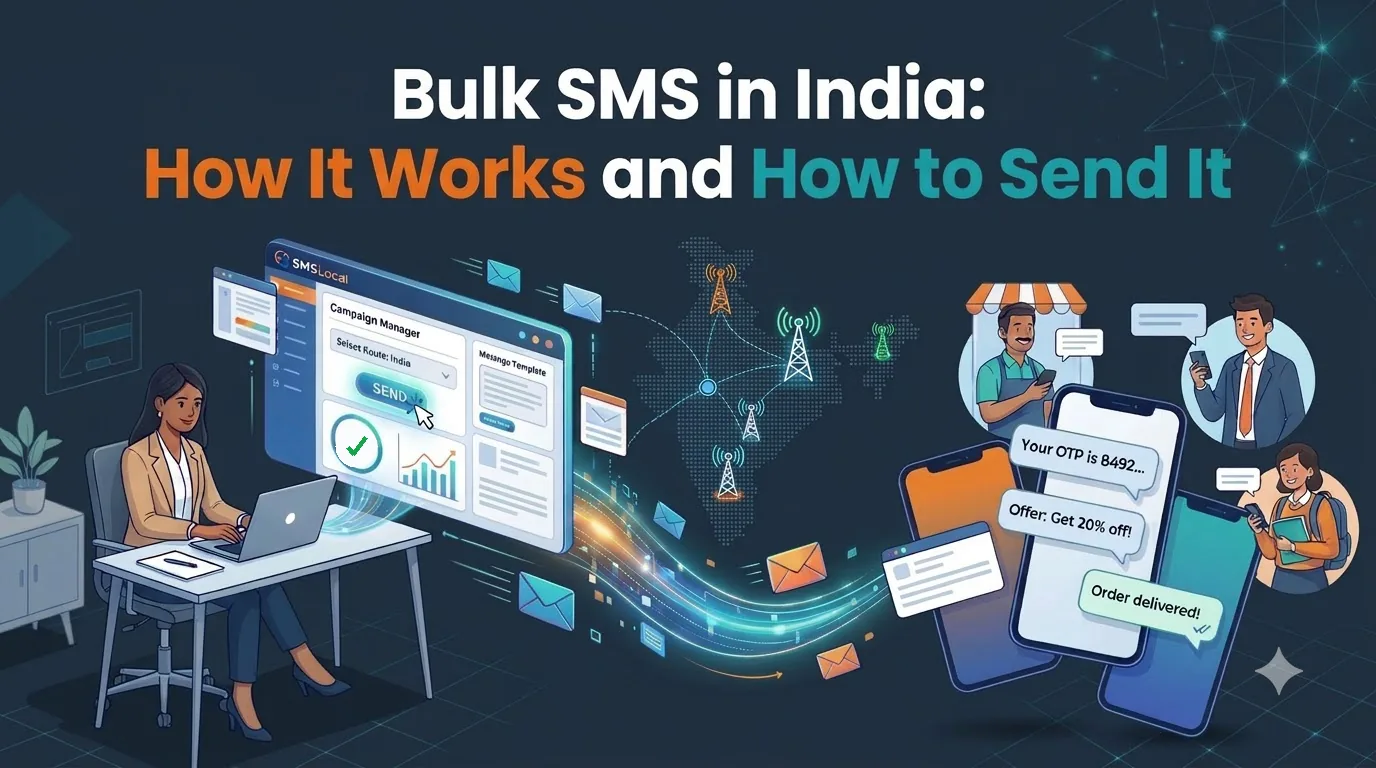
Bulk SMS is a way to send the same text message, or a personalised version of it, to many phone numbers at once. Banks use it for alerts, shops use it for order updates and offers, and schools use it for notices. It reaches people on any phone without an app or an internet connection.
In India, though, bulk SMS has rules that do not exist in most countries. Senders must register, templates must be approved, and promotional messages face time and DND limits. This guide explains how bulk SMS works, what you must set up first, how the rules apply and how to send your first campaign.
What bulk SMS is
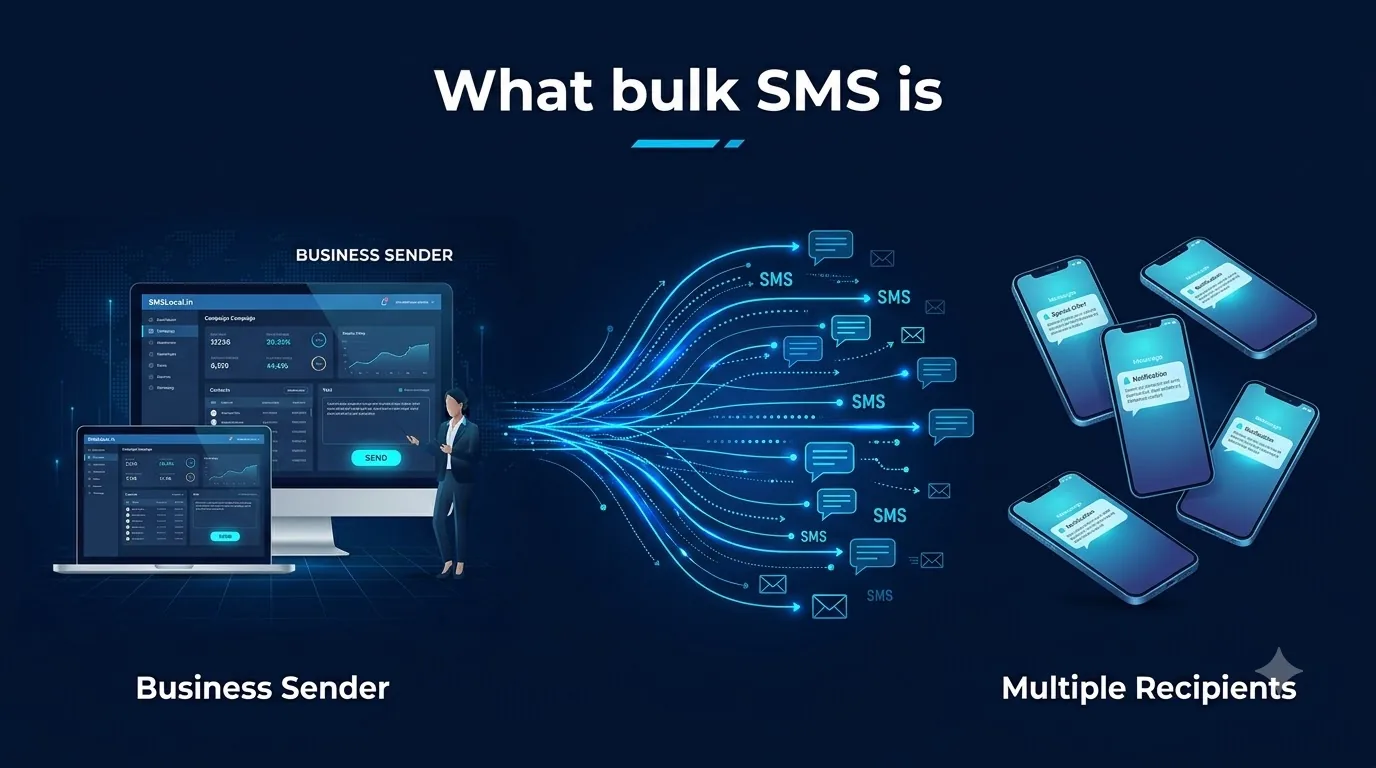
Bulk SMS means sending text messages in large volumes through a software platform instead of from a phone. You upload a list of numbers, choose a message and the platform delivers it to every recipient through mobile operators.
Two points make it different from texting from your own phone:
- It is sent from a registered sender name. Recipients see a short header such as a brand name, not a personal mobile number.
- It is controlled by approved templates. In India, every message must match a template registered in advance. A free-form message cannot simply be typed and sent.
The word “bulk” describes volume, not a different kind of message. The same platform can send one OTP or fifty thousand reminders.
How bulk SMS works
Behind the dashboard, a bulk SMS send follows the same path every time.
- You upload recipients and pick a template. Numbers usually come from a CSV file, and the template holds the fixed wording with spaces for details such as a name or order number.
- The platform checks the message. It confirms that the sender name and template are registered, and that the message length is what you expect.
- The message goes to the operator.The platform hands it to the recipient's mobile network, which delivers it to the handset.
- A delivery report comes back. You see which messages were delivered, which failed and why.
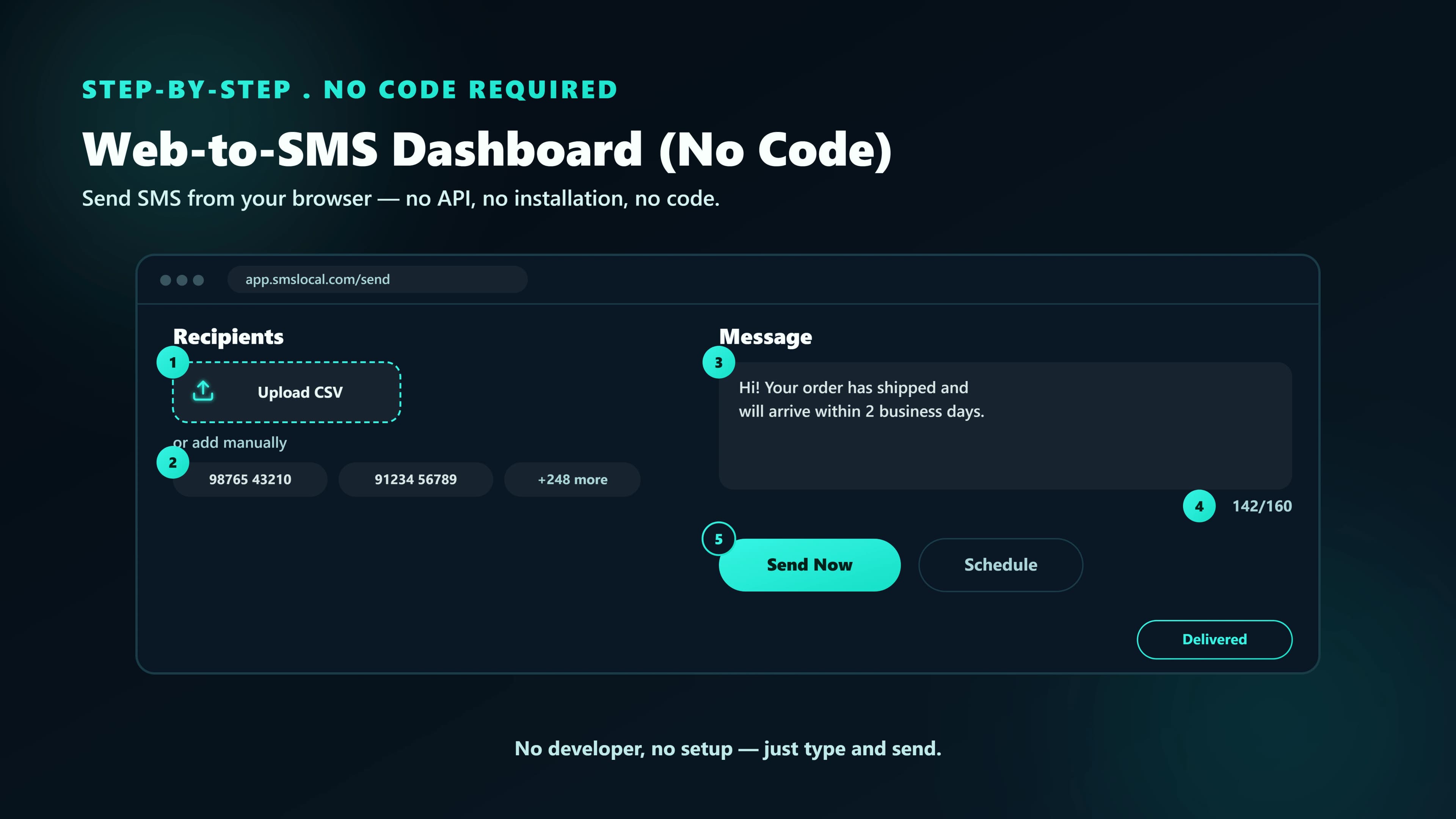
A good platform wraps this in a simple workflow. SMSLocal's Bulk SMS service lets you import a CSV, choose a DLT-approved template and either send immediately or schedule the campaign, then watch live delivery reports with a per-carrier breakdown and click tracking.
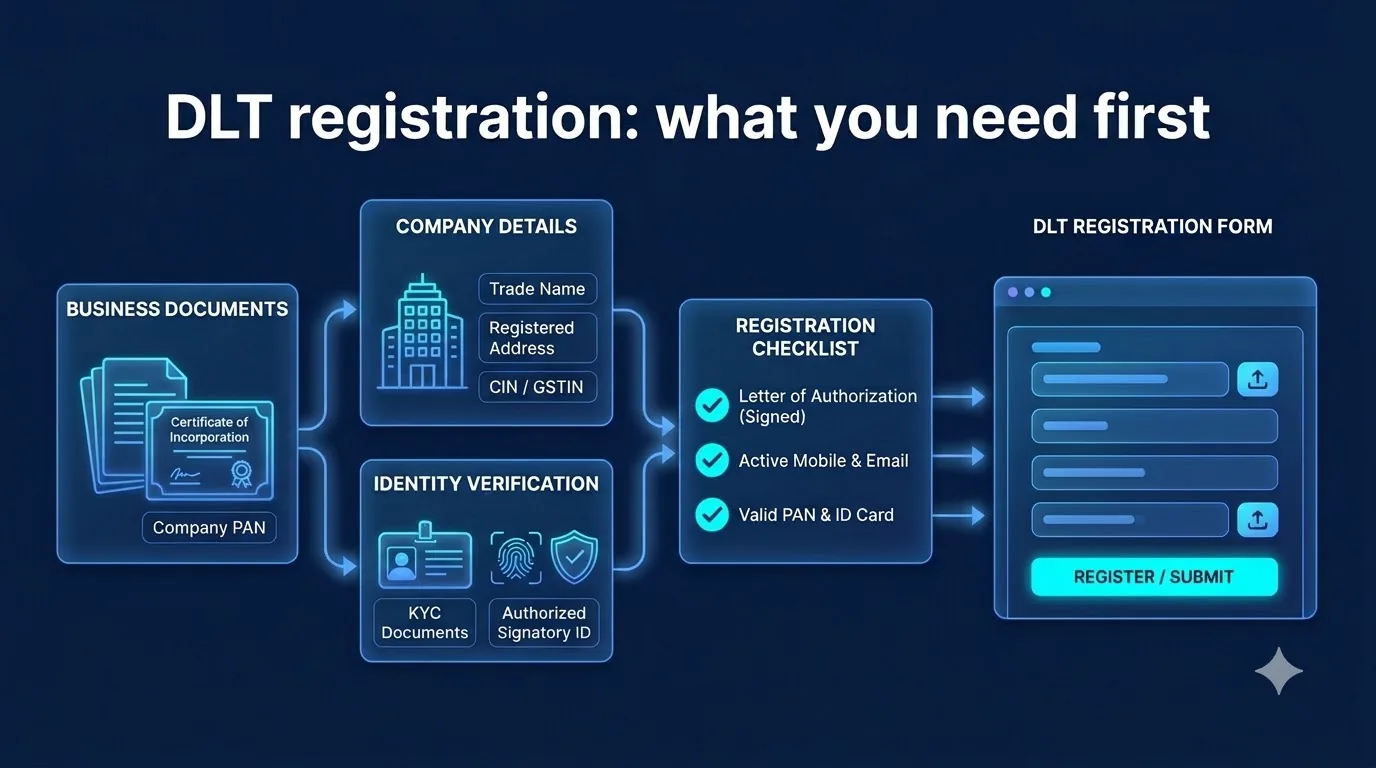
DLT registration: what you need first
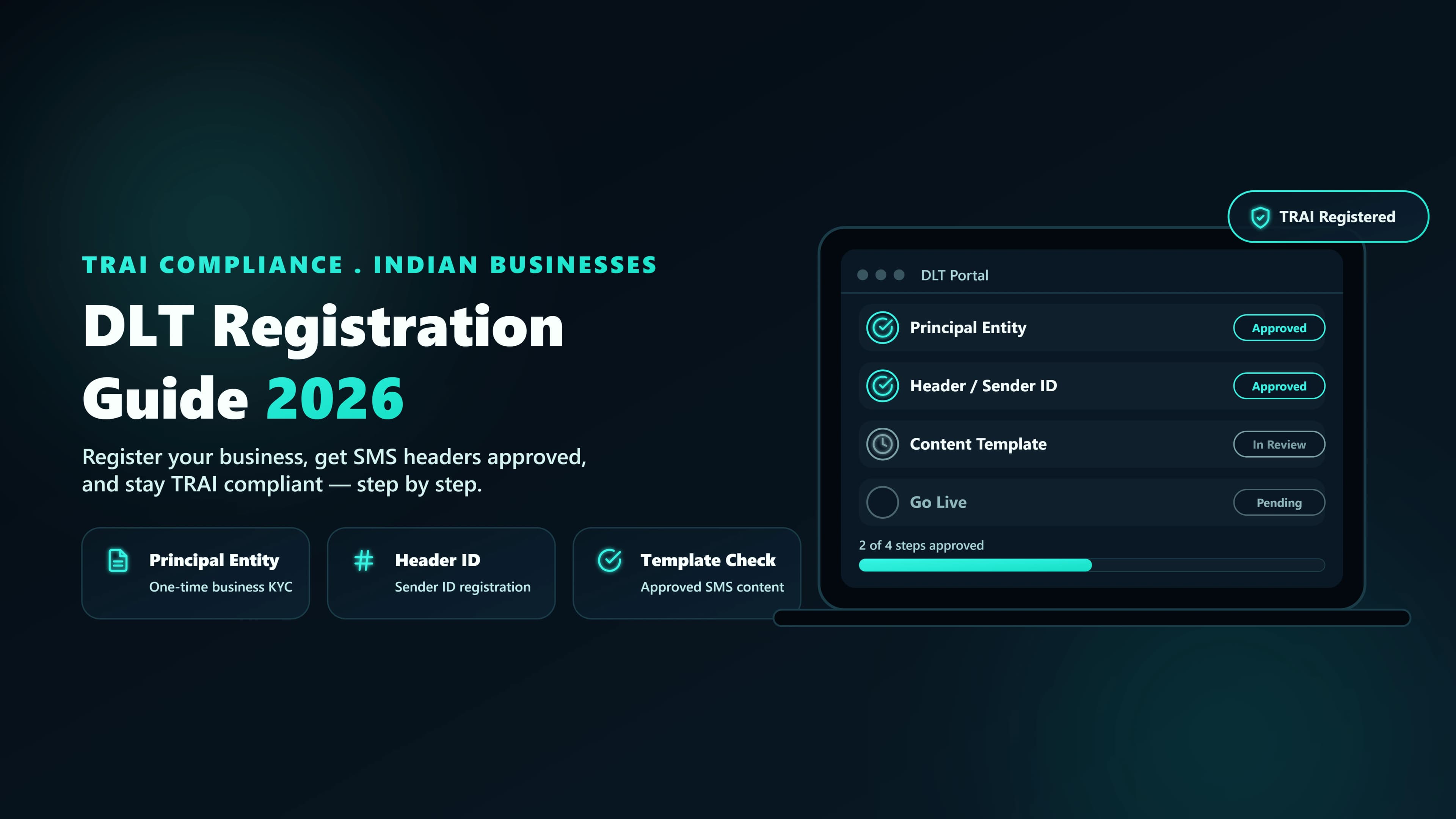
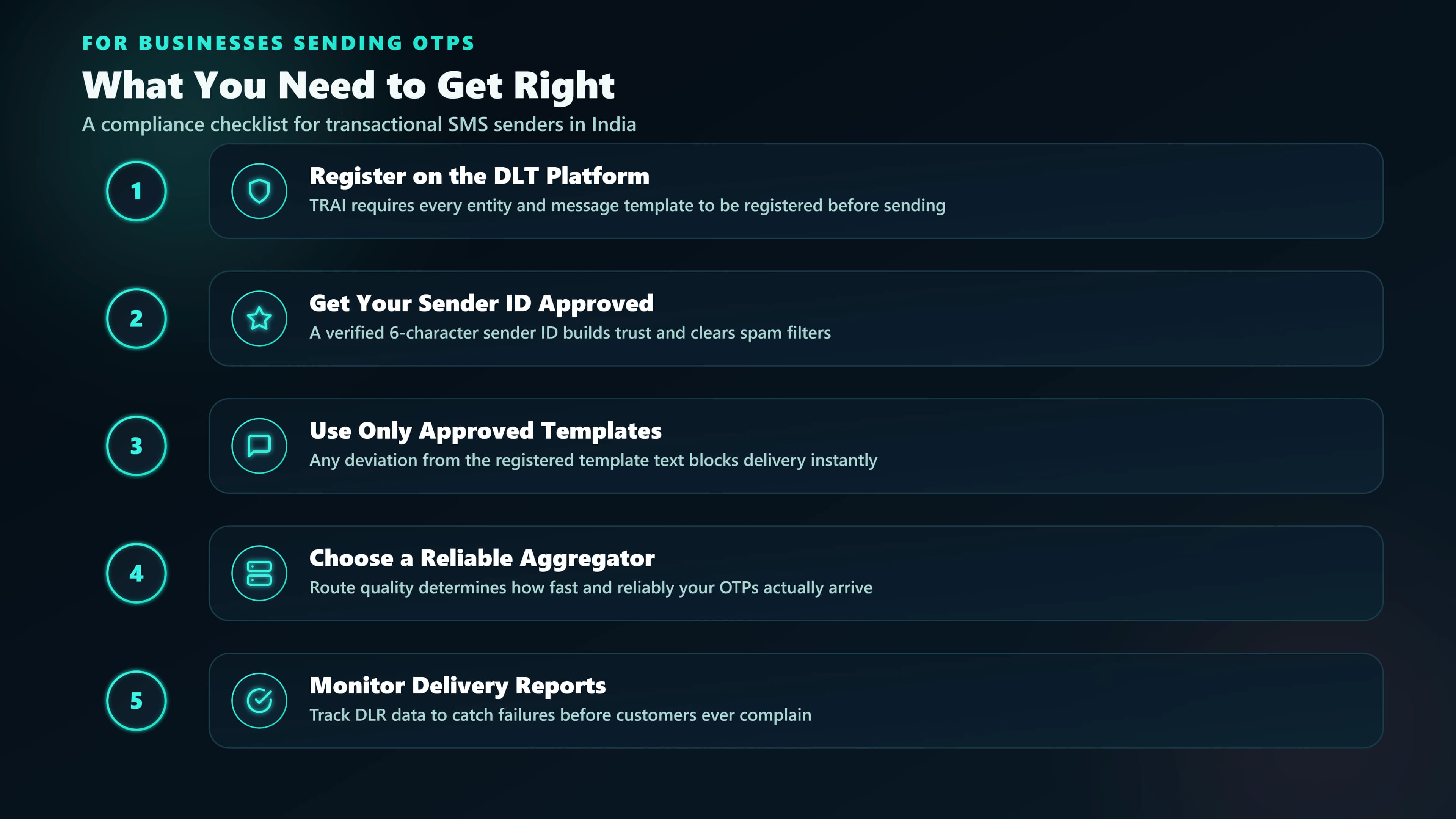
DLT, short for Distributed Ledger Technology, is the system Indian operators use to register businesses that send SMS. Without it, your messages will not be delivered. You register three things:
- Your business (the Principal Entity). This identifies you as a legal sender.
- Your sender name (the header). This is what recipients see as the sender.
- Your message templates. The exact wording, with variable slots, that you plan to send.
TRAI's regulations require that commercial communication goes out only through registered headers, and message templates are held in a content template register. In practice, a message that does not match an approved template will not reach the recipient.
Each operator's DLT portal charges its own registration fee and has its own approval times, so check both before you pick a launch date. Our DLT registration guide walks through each step, the documents you need and the common reasons for rejection. SMSLocal also helps register across the operator portals and tracks entity, sender ID and template status in the dashboard.
Message types and TRAI rules
TRAI, India's telecom regulator, sorts business messages by purpose, and the category decides your rules. Its definitions, as set out in its 2025 amendment to the commercial communication regulations, work out like this. TRAI amended the rules again in September 2026, so check its website for the latest text.
| Type | What it is | Key rule |
|---|---|---|
| Transactional | A message to your customer within 30 minutes of a transaction they started, such as a transaction OTP, transaction alert or refund notice | Not promotional. No explicit consent needed. No daily time limit |
| Service | Information about a product or service the customer already uses (warranty, recall, delivery, balance alerts), or a message that completes an ongoing transaction with their explicit consent | Not promotional. Consent-based service messages need explicit consent, which lasts seven days |
| Promotional | Any message with promotional material or an advertisement, such as an offer or sale | Needs an opt-out in the message. 9 AM to 9 PM only. Blocked for DND numbers unless you hold explicit digital consent |
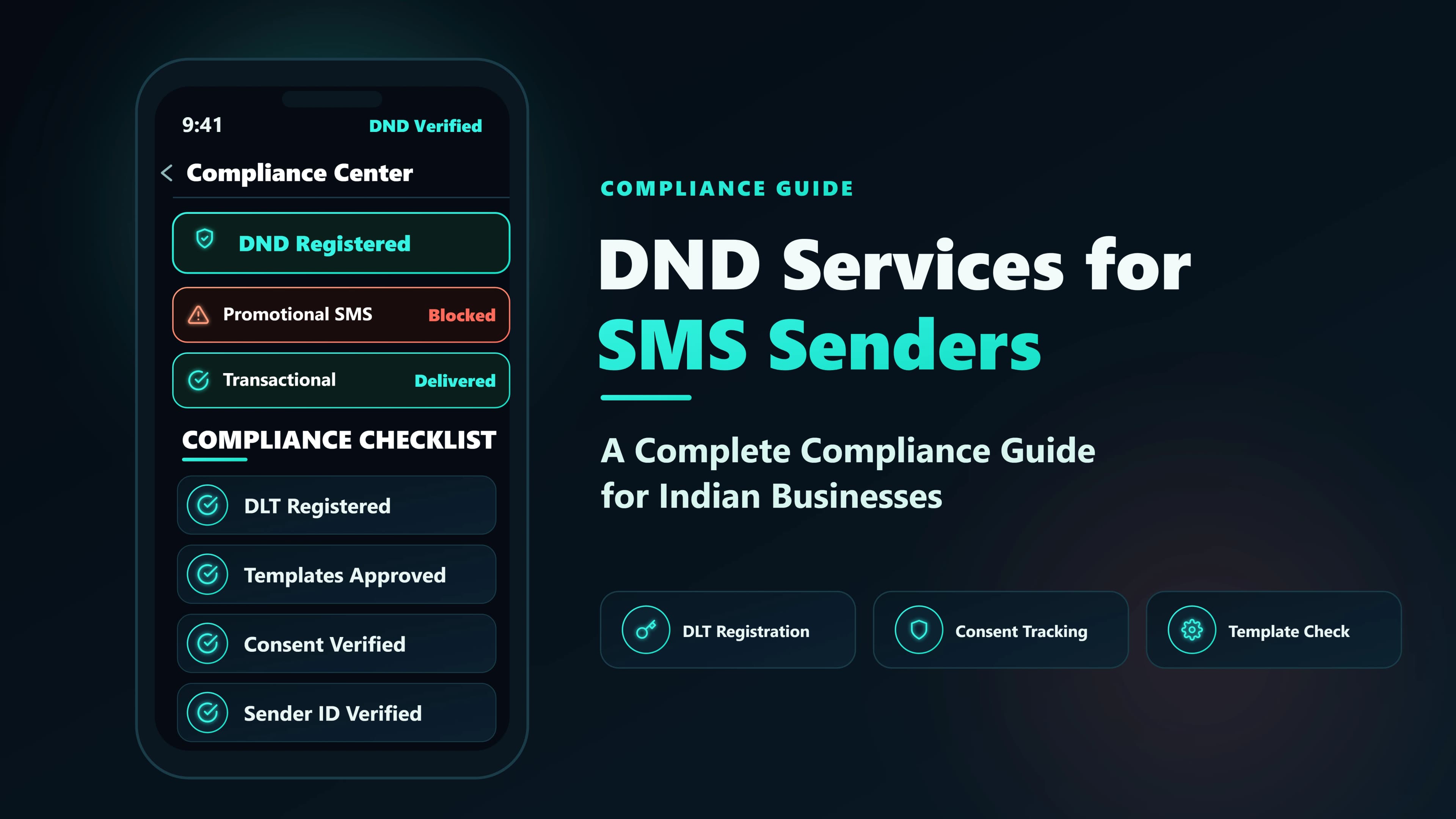
If you add promotional content to a transactional or service message, TRAI treats the whole message as promotional. The regulations limit promotional messages to 9 AM to 9 PM. Customers can also register preferences, including a full block on promotional messages, by messaging 1909. This is the DND list. A promotional message to a number on it will not be delivered unless the sender holds the recipient's explicit digital consent.
Consent is the other half. The regulations define explicit consent as permission verified directly with the recipient and recorded. Keep proof of how and when each person agreed.
The penalties are severe. When an investigation finds a sender was sending unsolicited messages, the first violation bars outgoing services on all of the sender's telecom resources for 15 days. A second or later violation disconnects all of them for one year and puts the sender on a blacklist. Under TRAI's 2026 amendment, operators must also suspend a misused header or template within six hours of noticing it, so one bad campaign can cost you your sender name.
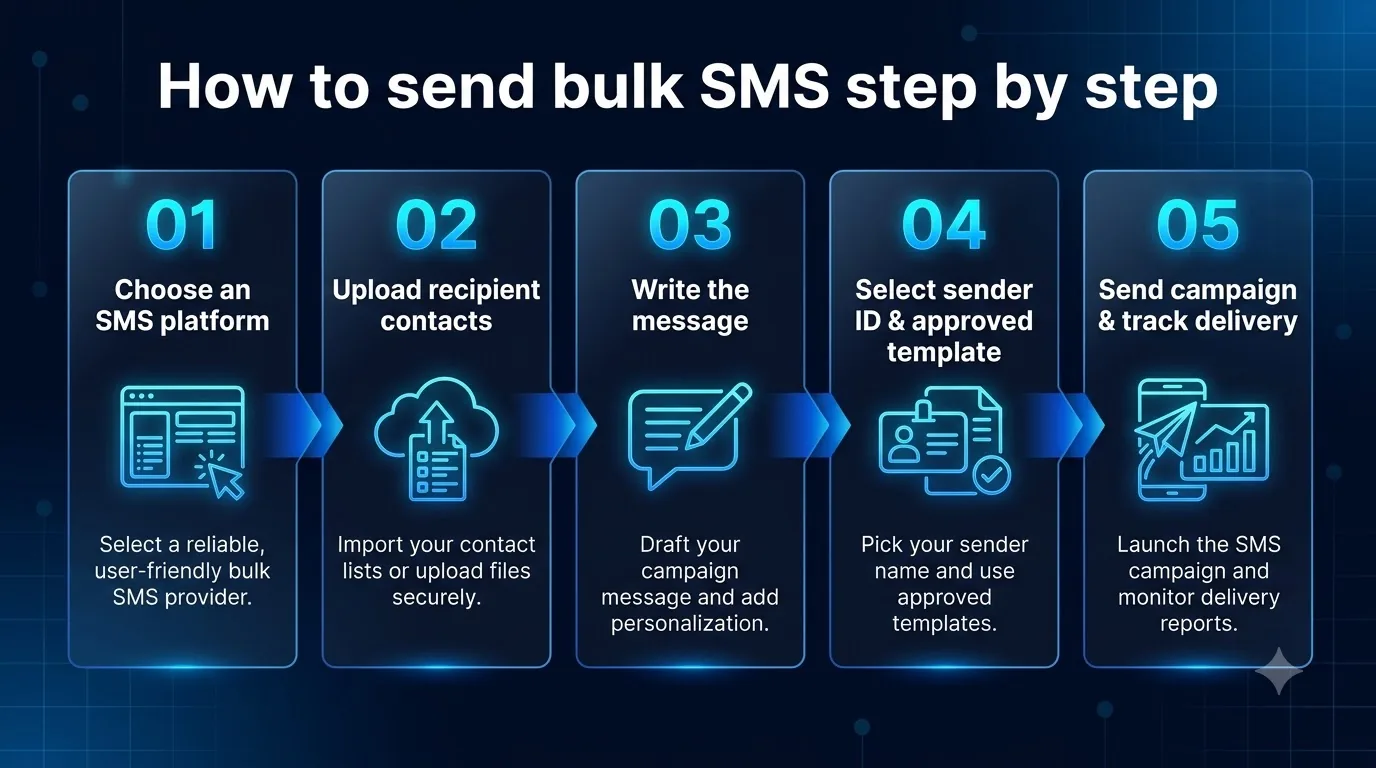
How to send bulk SMS step by step
Here is the usual path from nothing to a first campaign.
- Choose an SMS platform. Pick a provider that handles DLT and delivery reports. SMSLocal lets new accounts start a trial, so you can test before you pay.
- Upload your recipient contacts. Import a CSV of numbers that gave you permission, and clean out invalid ones first.
- Write the message. Draft the wording and mark where personal details go. In India the final text must match an approved template, so write to your template.
- Select your sender ID and approved template. Choose your registered header and an approved template. If DLT registration is not finished, you cannot complete this step, which is why it comes first.
- Send the campaign and track delivery. Send now or schedule it, keeping promotions inside the allowed window. Then read the report for delivery, failures and link clicks, and fix problems before your next send.
Message length, encoding and cost
Cost depends on how many segments each message uses, and that depends on what you write.
| Encoding | Single SMS | Each segment when longer |
|---|---|---|
| Standard (GSM-7), English | 160 characters | 153 characters |
| Unicode (UCS-2), Hindi and other scripts, emoji | 70 characters | 67 characters |
One Hindi, Tamil or emoji character switches the whole message to Unicode. Operators bill per segment, not per message. A 200-character English SMS uses 2 segments, and a 150-character Hindi SMS uses 3. Adding one emoji to a 100-character English message turns one segment into two.
Other factors shape your bill: your volume, the message type and your provider's rates. SMSLocal has no setup fee and no monthly subscription or minimum commitment, and higher-volume senders can ask sales about better rates. Write short, check the character count before sending and leave out emoji you do not need.
Where businesses use bulk SMS
- Retail and e-commerce: order confirmations, delivery updates and sale announcements.
- Banking and fintech: transaction alerts, OTPs and payment reminders.
- Healthcare: appointment reminders and report-ready notices.
- Education: fee reminders, exam schedules and admission updates.
- Logistics: dispatch and delivery alerts.
- Real estate: site-visit reminders and new-listing notices.
The best results come from relevance. A message the customer expects, at a sensible time, is read. An unexpected offer is reported.
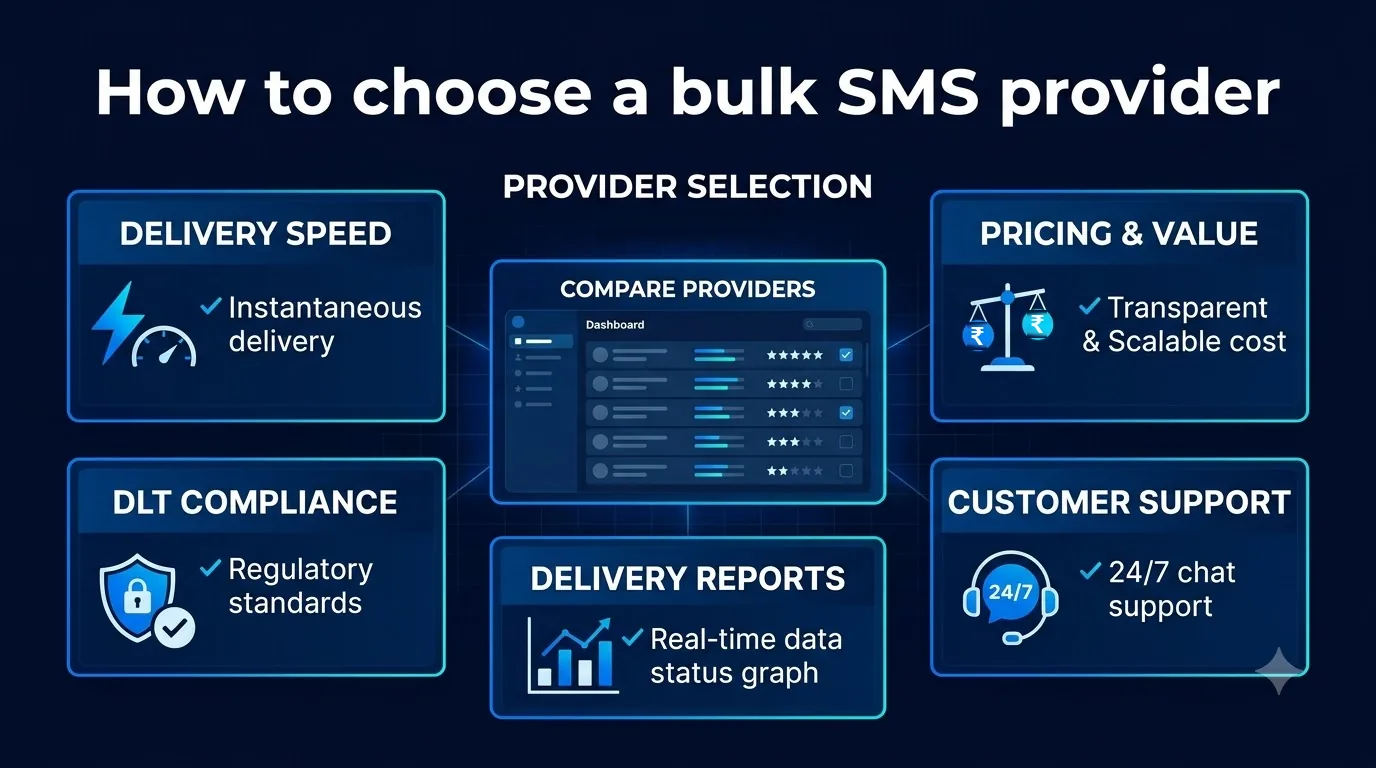
How to choose a bulk SMS provider
Rate cards look alike. These checks separate providers.
- DLT compliance help. Do they guide you through registration, or only point you to the portals?
- Delivery speed and routes. Direct operator connections are generally more reliable than resold routes. Ask which one you get.
- Real delivery reports.You want per-message delivered and failed status, not just “accepted”.
- Clear pricing. You should know what each message costs, how segments are billed and whether there is a platform fee on top.
- Regional languages. If you write in Hindi or other scripts, check how Unicode messages are counted and rendered.
- API and sandbox. Developers should find a documented endpoint, webhooks and a way to test without sending real messages.
- Support. Check how quickly real people respond in Indian hours.
If you also want WhatsApp, a provider that handles both channels saves you a second dashboard.
Mistakes that get messages blocked
- Skipping consent. Messaging a purchased or scraped list invites complaints and penalties.
- Using a transactional header for marketing. The category is set by the header and template, so misuse can get templates rejected or headers suspended.
- Sending promotions outside 9 AM to 9 PM. The message will not go out. A platform that enforces the window for you, as SMSLocal does, removes this risk.
- Not scrubbing DND numbers. Promotional messages to them are blocked unless you hold their recorded explicit consent. SMSLocal checks every list against the national preference register before sending.
- Mixing an offer into an OTP or order update. TRAI then treats the whole message as promotional, with the time window and DND rules that come with it.
- Leaving out the opt-out. Every promotional message must give the recipient a way to opt out in the same message.
- Editing template wording. The text must match the approved template.
- Ignoring Unicode. One emoji can double your segments and your cost.
- Uploading bad numbers. Invalid numbers waste credits. Clean the list first.
Conclusion
Bulk SMS remains one of the most direct ways to reach customers in India, but it rewards preparation. Register on DLT first, use the right message type, respect the time window and DND, and keep proof of consent. Those steps protect your sender name and your delivery.
Start small. Send a short, well-targeted campaign to people who expect to hear from you, read the delivery report and improve from there.