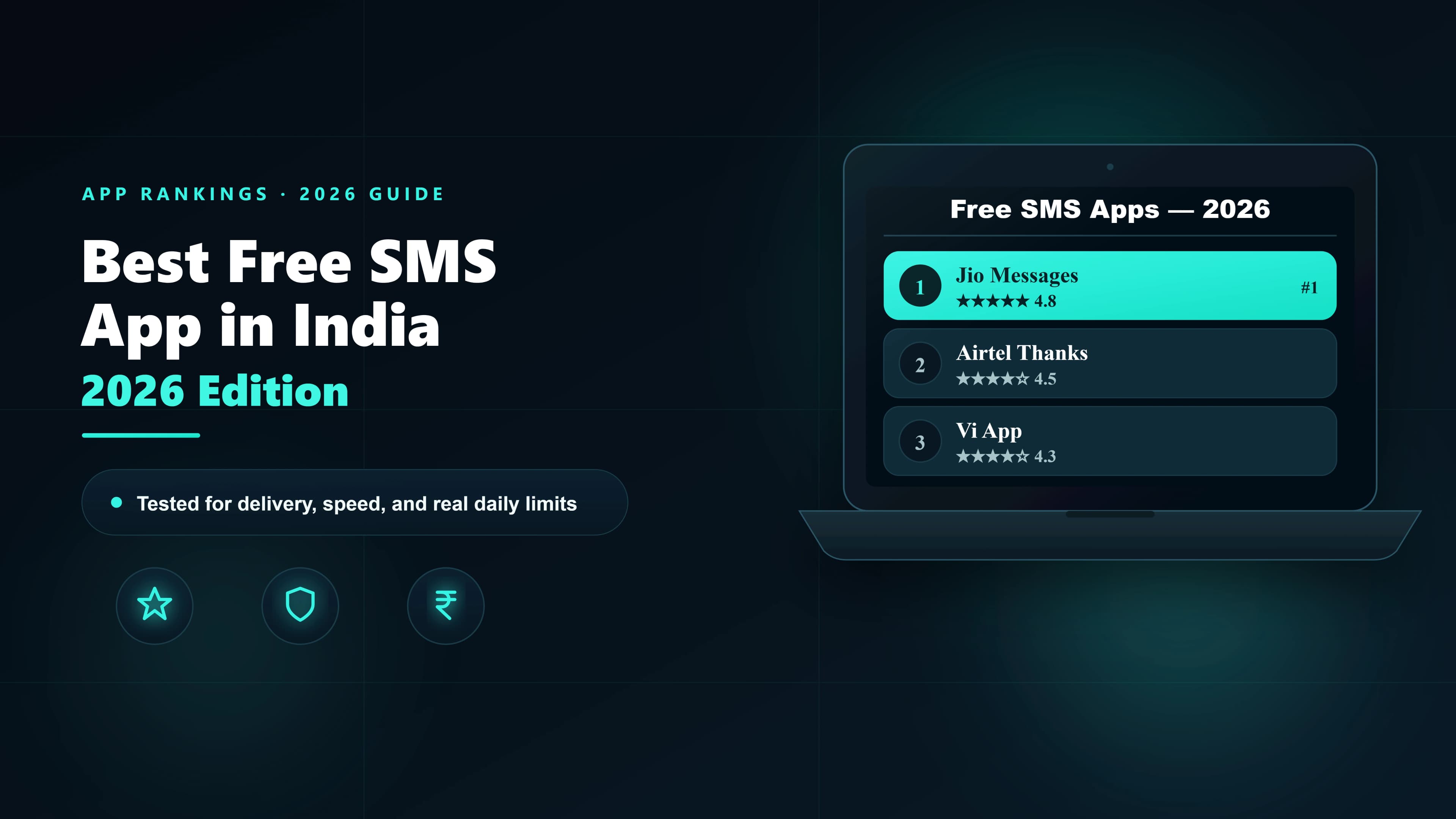
The best free SMS app in India in 2026 is Google Messages — it uses your SIM's bundled 100 SMS/day allowance, sends from your real number, and works on most Android phones without any setup. For SMS from a PC, AirDroid or Pushbullet mirror your phone's SIM. For business OTPs and bulk sends, only a platform with a free trial credit gives you DLT-compliant delivery. This guide compares every option tested on Jio, Airtel, and Vi.
Quick pick by use case
| What you want to do | Best free option | Why it wins |
|---|---|---|
| Personal SMS from Android phone | Google Messages + operator bundle | Native, no ads, your own number, 100 SMS/day free |
| Personal SMS from iPhone | Built-in Messages app + SIM bundle | Seamless, no app install, iMessage fallback for other iPhones |
| Free messaging between smartphone users | Unlimited, free over Wi-Fi, richer than SMS | |
| Send SMS from PC (Android phone nearby) | AirDroid (free tier) | Mirrors your phone's SIM to browser; no third-party route |
| Send SMS from PC (no phone nearby) | MyJio web / Airtel Thanks web | Uses your own bundled quota, no shared sender |
| SMS without internet | Built-in phone dialer + SIM bundle | Works on any network, no data required |
| Test a business OTP flow | SMSLocal ₹60 free credit | Real production route, delivery receipts, API access |
| Bulk promotional (business) | SMSLocal bulk trial | DLT-compliant, DND scrub, scheduled campaigns |
1. Google Messages — Best Free SMS App for Android in India
Google Messages is the default messaging app on most Android phones sold in India in 2025–26 (Pixel, OnePlus, Motorola, and many Xiaomi and Realme models). For personal SMS, it is the single best free option available — and most Indian users already have it.
What makes it the best
- Uses your SIM's bundled quota. Most Jio, Airtel, and Vi plans include 100 free SMS per day. Google Messages uses this — so the SMS is completely free and sent from your own number with zero branding.
- RCS support in 2026. On supported networks (Jio and Airtel have activated RCS), Google Messages upgrades to Rich Communication Services automatically — giving you read receipts, typing indicators, and group chat features without switching apps.
- Built-in spam filter.Google's spam detection flags suspicious messages (phishing, OTP-fishing, fake package deliveries) and moves them to a separate folder. It learns from your behaviour.
- Message scheduling.Long-press the send button → “Schedule send” — useful for sending reminders at a specific time without staying up.
- Send from PC / web. messages.google.com lets you read and reply to SMS from any browser — no extra app needed.
Limitations
- Not pre-installed on Samsung phones (Samsung uses its own Messages app by default)
- RCS works only when both sender and recipient have RCS-enabled phones and networks
- Not useful for business SMS — no DLT support, no bulk sends, no delivery receipts
2. AirDroid — Best Free App to Send SMS from PC in India
AirDroid solves a specific problem that surprises many users: how do you send SMS from a laptop or desktop without picking up your phone? Its free tier is genuinely useful for personal use.
How it works
AirDroid runs a background service on your Android phone, connects it to the AirDroid web interface or desktop app, and mirrors your phone's SMS through that connection. When you type a message on your PC, it is sent as a real SMS from your SIM— not through AirDroid's servers. The recipient sees your real number, not a shared one.
Pros
- SMS sends from your own number — no branded footer, no shared sender
- Uses your SIM's bundled 100 SMS/day — completely free
- Access photos, files, and notifications from the PC simultaneously
- Free tier covers SMS mirroring without needing a paid subscription
- Works on Android 6+ — covers most phones in use in India today
Cons
- Requires your phone to be on, charged, and connected to the same Wi-Fi (or mobile data with AirDroid Premium)
- Free tier has a 200 MB/month data transfer limit — fine for SMS, not for file transfers
- iPhone users: AirDroid has an iOS app but Apple's restrictions mean it cannot mirror iMessages or SMS to PC
- Not suitable for business use — personal SIM limits, no DLT support
3. Pushbullet — SMS mirroring plus notifications
Pushbullet mirrors your Android phone's SMS and notifications to your PC browser or Windows app. The free tier is more limited than AirDroid's but adequate for reading and replying to SMS from your computer.
| Feature | Pushbullet Free | AirDroid Free |
|---|---|---|
| SMS mirroring to PC | Yes | Yes |
| Send SMS from PC | Yes (via phone) | Yes (via phone) |
| Notification mirroring | Yes — stronger feature | Yes — secondary feature |
| File transfer | 25 MB/month | 200 MB/month |
| Universal copy-paste | Yes — standout feature | Limited |
| Phone must be on Wi-Fi | Yes (free) | Yes (free) |
| Monthly free SMS limit | None (uses your SIM) | None (uses your SIM) |
Verdict: Choose Pushbullet if you want seamless notification sync across devices. Choose AirDroid if you want a more complete phone-on-PC experience. Either is better than any web-to-SMS site for personal use because both use your real number.
4. Operator Web Portals — Free SMS from Browser Without Any App
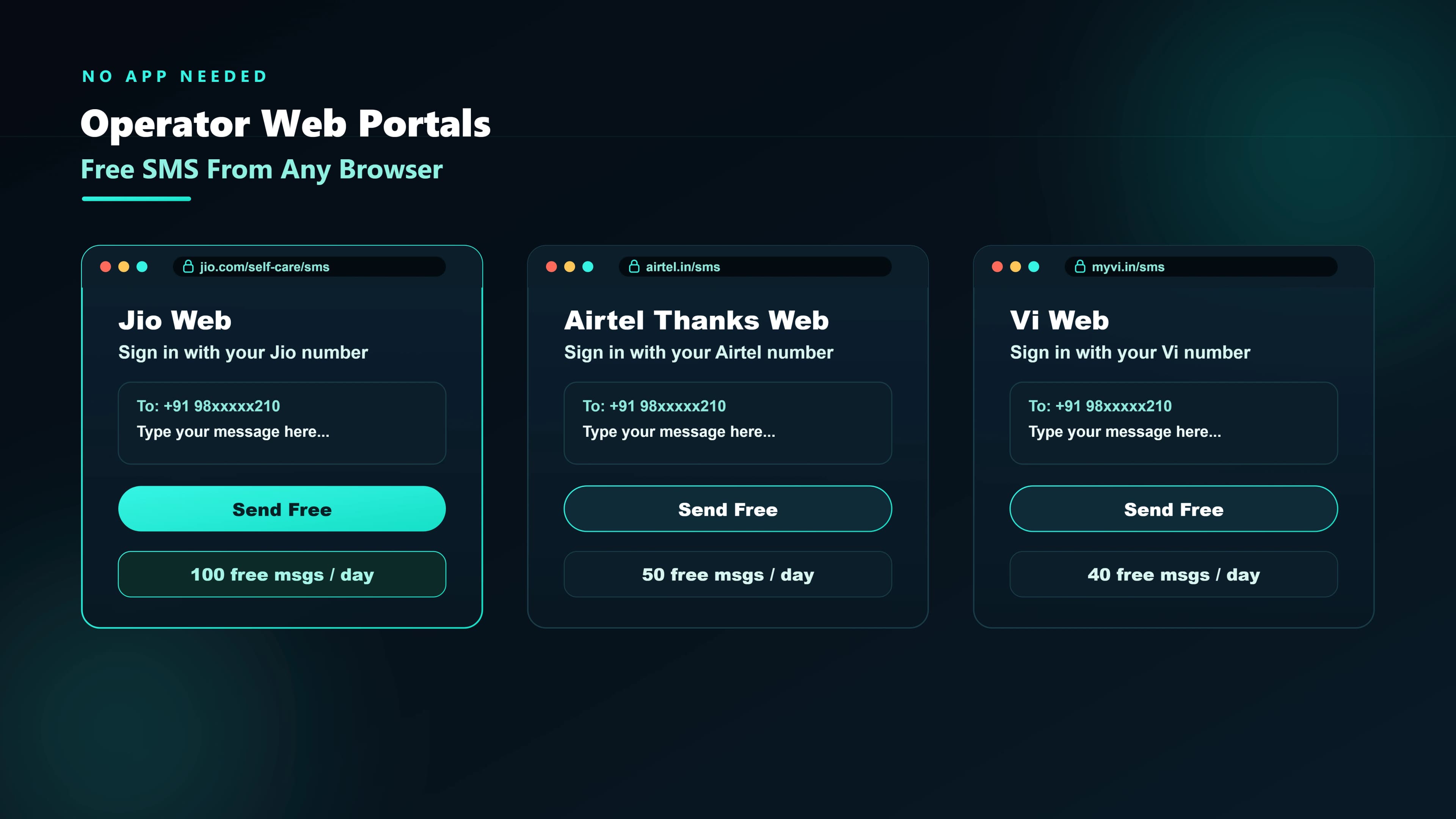
The most overlooked option: Indian operators let you send SMS through their own apps and, in some cases, web portals — using your bundled SIM quota. No third-party account, no shared number, no data sold.
Jio — MyJio web SMS
- Go to jio.com and sign in with your Jio number.
- Open the MyJiosection and look for “Send SMS” under your account dashboard.
- Enter the recipient's number and your message (up to 160 characters for standard SMS). Hit send.
- The SMS is sent from your Jio number and deducted from your bundled 100 SMS/day allowance.
Limitation: Works only from a browser where you are logged into your Jio account. The feature is available on most Jio postpaid and many prepaid plans.
Airtel — Airtel Thanks web
Airtel Thanks (airtelthanks.com) allows SMS sending to contacts directly from your browser when logged in. The process mirrors Jio's: your own number sends the message, uses bundled quota, no branding added.
For a full walkthrough of all operator-specific options, see our guide to free SMS in Indiawhich covers every operator's balance check codes and quota details.
5. Bundled SIM SMS — 100 Free SMS Per Day Already in Your Plan
It bears saying clearly: most Indian mobile plans include 100 free SMS per day, and most users never use more than 10. Before installing any app or signing up for any service, check whether you already have more than enough free SMS.
| Operator | Free SMS/day | How to check remaining balance |
|---|---|---|
| Jio | 100 on most plans | MyJio app → Balance → SMS balance |
| Airtel | 100 on most postpaid; varies prepaid | Airtel Thanks app → Plan details |
| Vi (Vodafone Idea) | 100 on most plans | Vi app → My Plan |
| BSNL | 20–100 depending on recharge | SMS BAL to 123 or BSNL Selfcare portal |
Verdict: If you send fewer than 100 personal messages a day — which is almost every personal user — your existing SIM plan is the best free SMS option. No app required beyond your built-in dialer.
6. WhatsApp as a Free SMS Alternative in India
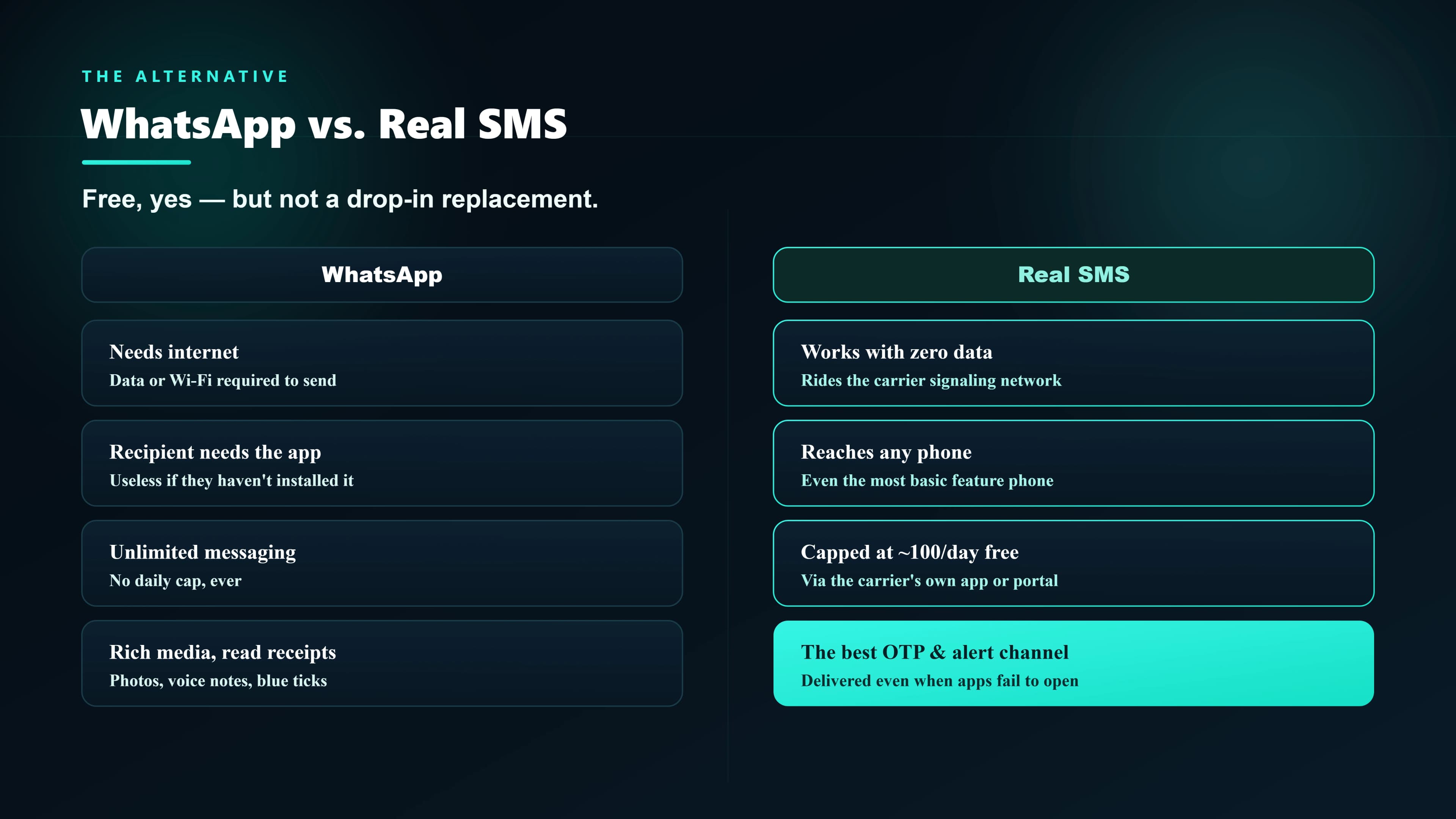
WhatsApp has over 500 million monthly active users in India and is the default free messaging app for most smartphone users. For personal conversations between smartphone users, it is better than SMS in almost every way — unlimited messages, voice notes, photos, and free calls over Wi-Fi.
Where WhatsApp falls short versus real SMS:
- Requires a smartphone and active internet — SMS works on any phone, even a basic feature phone with no data plan.
- Both parties must have the app — SMS reaches every Indian mobile number unconditionally, no app required.
- Cannot receive OTPs or bank alerts — banks, UPI apps, e-commerce platforms, and government portals send verification codes via SMS, not WhatsApp. You need SMS for these regardless.
- No delivery without internet on either side — SMS is held by the SMSC for up to 72 hours and delivered when the recipient comes back online, even without a data connection.
7. Ad-Funded Web-to-SMS Sites — Use With Caution
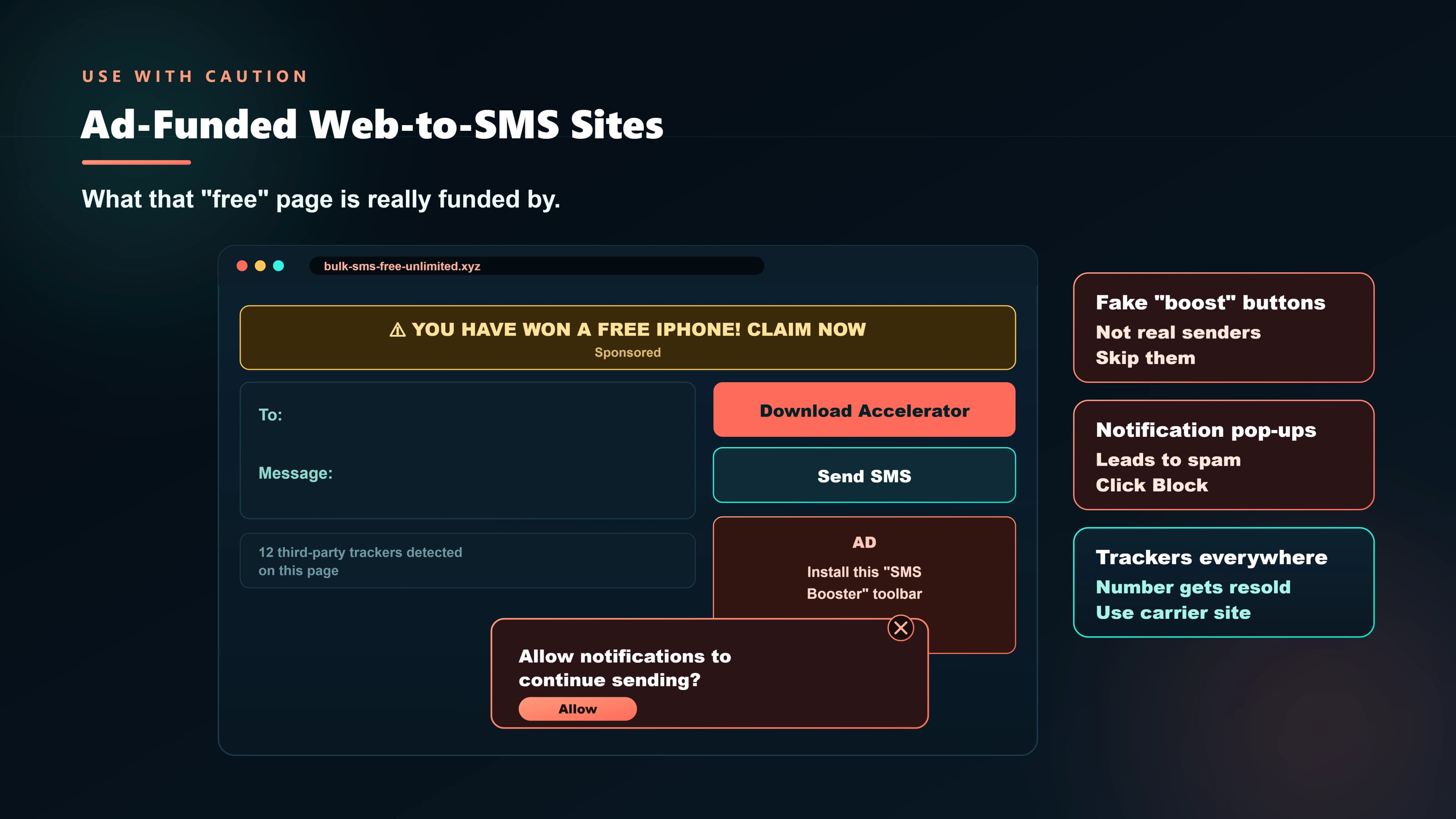
Several websites offer free SMS sending to Indian numbers through a browser. Way2SMS shut down in 2022, but successors operate in the same model. These are worth understanding before using.
How they work
These services buy bulk SMS credits from aggregators at wholesale rates (₹0.01–0.03 per message) and give users a small free daily quota, funded by advertising revenue or data monetisation. The SMS arrives from a shared sender number or header — not your personal number.
What you actually get
| Feature | Reality on free tier |
|---|---|
| Daily free SMS | 5–25 messages (varies by service) |
| Sender identity | Shared generic number — recipient does not see your name |
| Delivery speed | 1–10 minutes (low-priority routes) |
| Delivery receipts | Not available on free tier |
| DND numbers | Blocked (commercial sender header) |
| Privacy | Your phone number is in their database; check the privacy policy |
When they make sense
For a one-off message to a non-urgent recipient when you have no other option — yes. For anything regular, time-sensitive, or business-related — no. Your bundled 100 SMS/day or the operator web portals above are both better options.
8. SMSLocal Free Trial — Best Free SMS Option for Business in India
SMSLocal provides ₹60 free credit on signup with no credit card required. This is the only free option that gives you the full production SMS experience for business use cases.
- Messages from your own registered DLT sender ID (not shared branding)
- Real-time delivery receipts per message — delivered, pending, failed
- Sub-5-second OTP delivery on direct operator routes
- Full API access to test integrations before committing
- Works for transactional (OTP, alerts) and promotional (campaigns) templates
- ₹60 covers roughly 200–750 messages depending on route type
Verdict: The only free option for any business use case. The trial credit is enough to fully validate an SMS workflow — OTP delivery, webhook integration, delivery receipt parsing — before spending anything.
Full comparison table
| Option | Cost | Sender identity | Daily limit | From PC? | Business use? |
|---|---|---|---|---|---|
| Bundled SIM SMS (Jio/Airtel/Vi) | Free | Your number | 100 SMS | Via operator web | No |
| Google Messages | Free (uses SIM) | Your number | 100 SMS | messages.google.com | No |
| AirDroid (free tier) | Free | Your number | 100 SMS | Yes | No |
| Pushbullet (free tier) | Free | Your number | 100 SMS | Yes | No |
| Operator web portal (MyJio, Airtel) | Free | Your number | 100 SMS | Yes | No |
| Ad-funded web SMS site | Free | Shared generic | 5–25 SMS | Yes | No |
| SMSLocal ₹60 trial | Free (trial) | Your DLT sender ID | No cap (credit-limited) | Yes | Yes |